




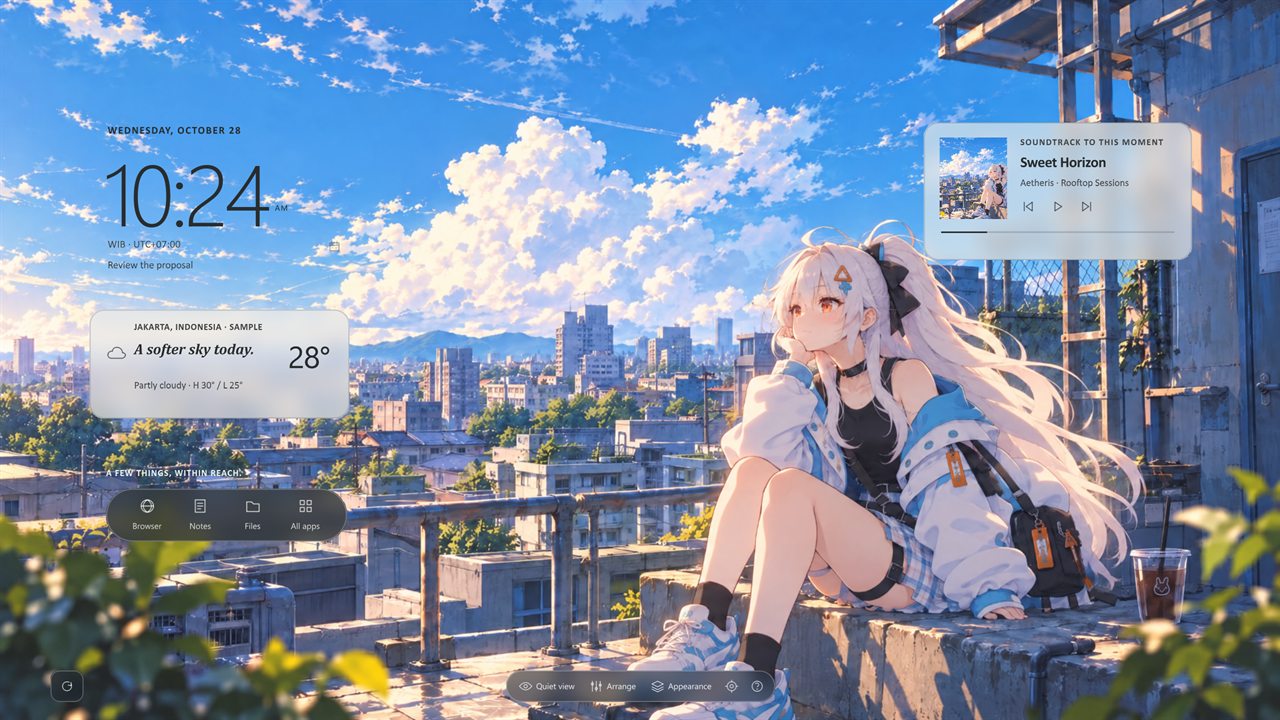
Somewhere above the hurry.
Your clock, weather, music and day, resting on painted scenes or your own wallpaper instead of piling on top of your work. Everything stays on your computer.
A live preview running in your browser. The clock shows your time and the scene follows your time of day. Music and calendar are samples, and nothing plays.
Choose an image, or drop one on the preview. Each widget looks at the part of the wallpaper behind it and picks light or dark text, and frosted glass thickens where it needs to. It's the app's Auto ink, running in your browser.
No image to hand? Try one drawn by this page:
What each widget chose
Your image is read in your browser and never uploaded or saved, so nothing appears under "Sent from this page". In the app, the same happens on your computer with your Windows wallpaper when ink is set to Auto.
Type a city and the weather card fetches a real forecast from Open-Meteo, the service the app uses. Your location is never detected.
Sent from this page
Like any website, Open-Meteo also sees your IP address and browser type when you search. The preview saves nothing, and weather is only fetched when you ask. More about this site
A day with it
01
Clock, weather, music and your day sit on the wallpaper itself, where your icons would be.
02
Open a window and it covers Aetheris, just as it covers your wallpaper. No floating panels, nothing stacked over what you're doing.
03
Minimise your windows and your day is waiting where you left it.
04
Quiet view hides every widget and leaves only the scene. It's the eye in the dock.
05
Bring your own, and each widget fits its ink to what's behind it.
Scenes
Each scene keeps its own arrangement and its own look, tuned so the text stays readable over the artwork. Prefer your own wallpaper? Aetheris reads it on your computer and fits each widget to what's behind it.
Somewhere above the hurry.
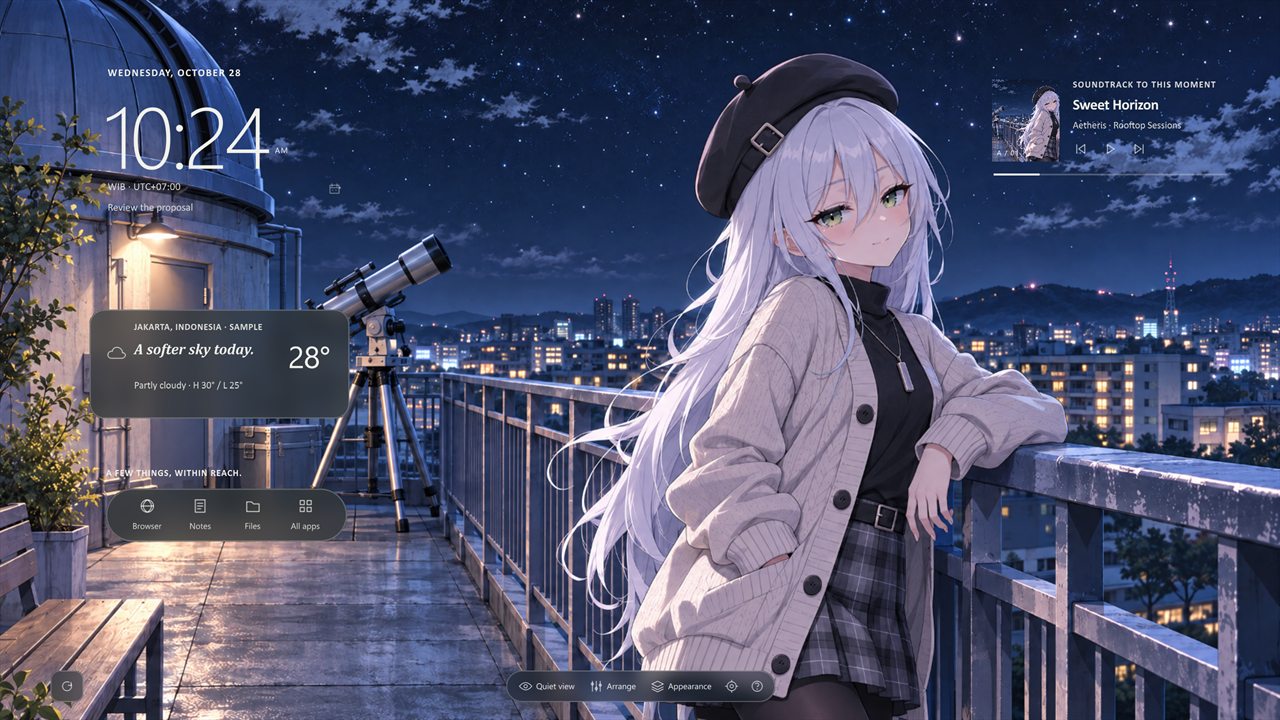
Even winter has its quiet warmth.
What's on the desktop
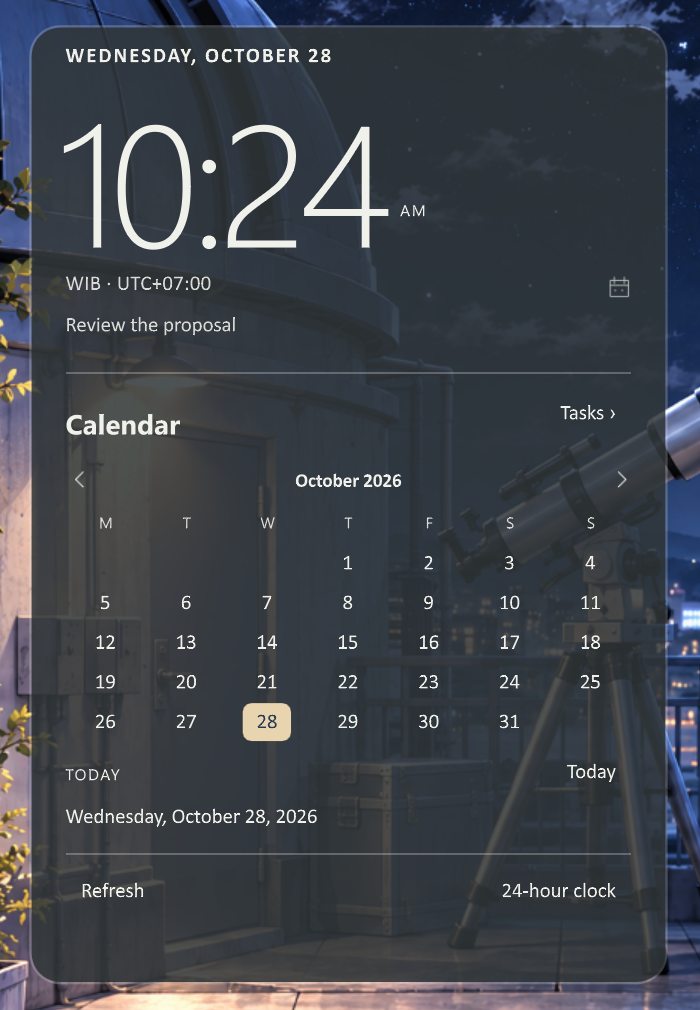
Open the clock for a calendar and today's agenda. Connect Google to see your Calendar events and Tasks. The connection is read-only, so Aetheris can show your day but never change it.
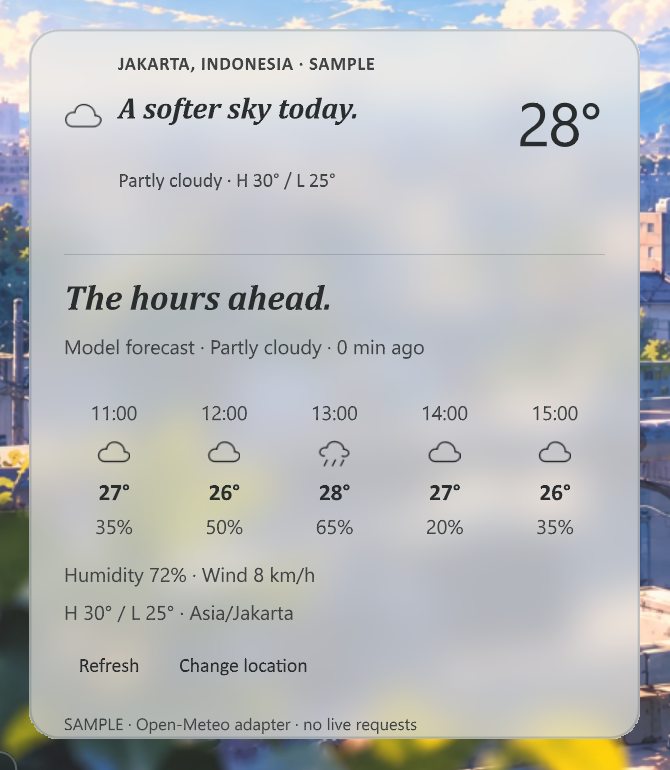
Search for your city once, then see current conditions and the next few hours. There's no location detection, and nothing is looked up until you pick a place. Forecasts come from Open-Meteo.
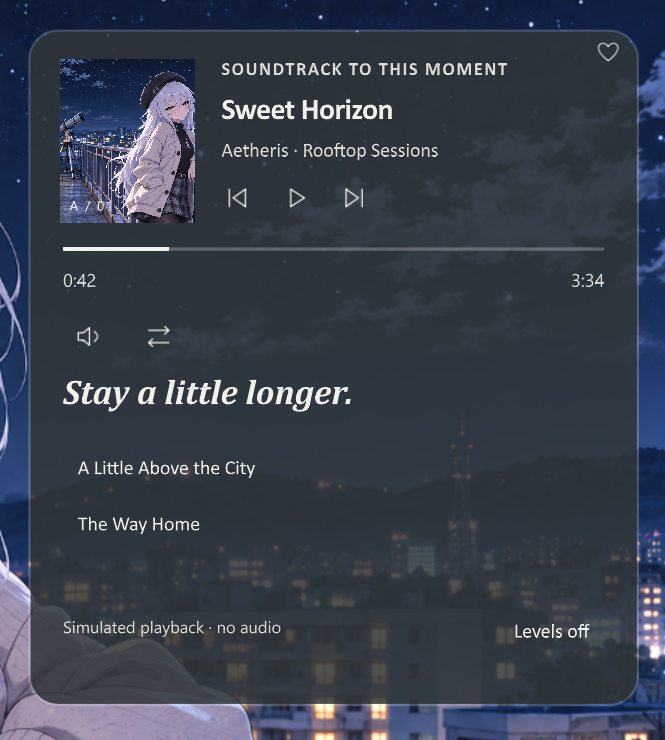
The music card follows what's playing in Windows: Spotify, your browser, any app that shares playback with Windows. An optional Chrome extension adds song search for YouTube Music.
Browser, notes, files and your Start menu apps, one click away.
Editorial, paper, mist or frosted glass, set per widget and per scene. Light, dark or Auto ink, and a Wallpaper palette that borrows its colour.
Widgets live on the desktop itself. Quiet view hides them, and nothing pops up over your work.
Privacy